Grow an idea into a map
Add child and sibling topics, label connections, and attach or detach whole branches. Arrange the map automatically or move topics freely across the canvas.
 Maptelio
Open Maptelio
Maptelio
Open Maptelio
A clear place for your thoughts
Turn a first thought into a clear mind map. Connect topics, see the bigger picture, and keep your work in a personal library.
No account needed. Maps save locally in your browser.
Your previous device library is still saved at maptelio.com. Move your maps before continuing.
Room to think, tools to shape
Build a map that makes sense to you, then keep it close for the next time you need it.
Add child and sibling topics, label connections, and attach or detach whole branches. Arrange the map automatically or move topics freely across the canvas.
Choose topic shapes, colors, and text emphasis. Use curved or straight connections and different arrowheads to make relationships easier to read.
Find recent maps, organize them in folders, and search by title. Your edits save automatically in this browser profile on this device.
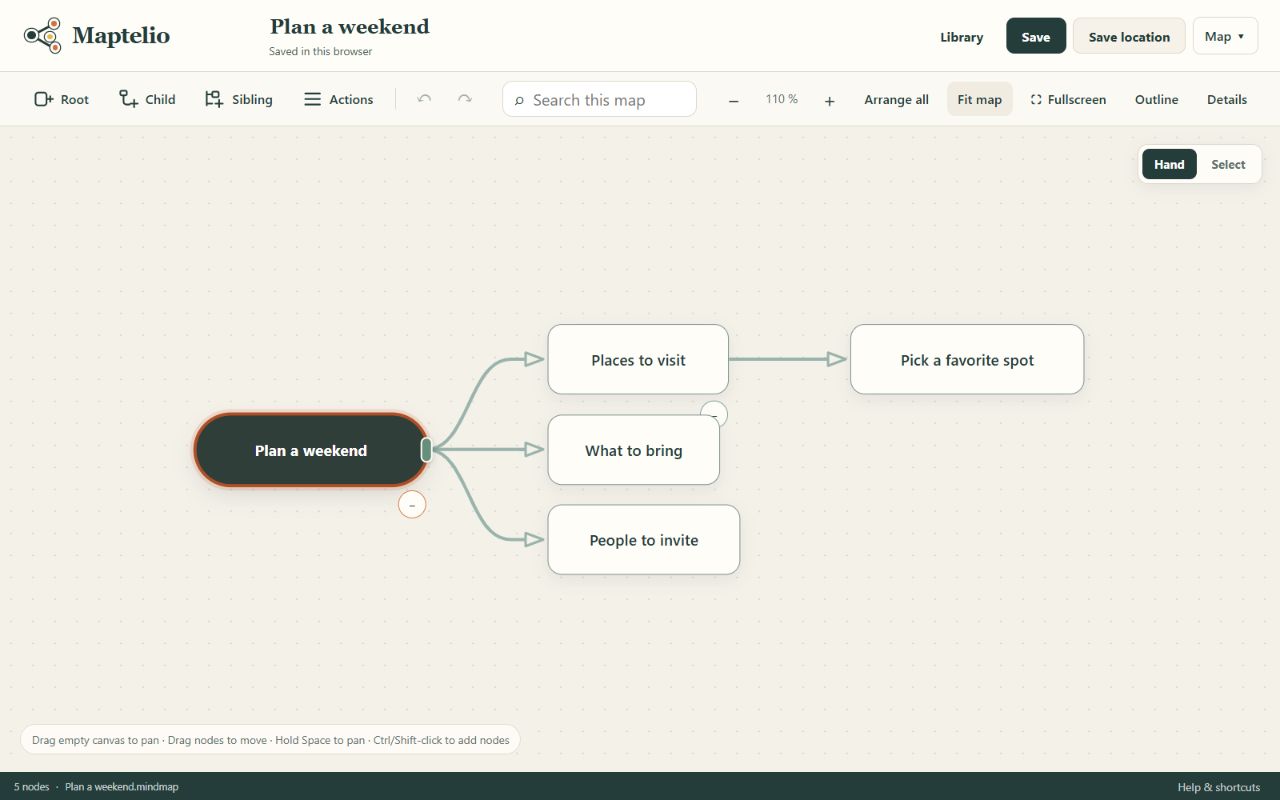
Navigate your way. Pan and zoom, collapse branches, search topic text and notes, or use the keyboard-accessible Outline.
Keep experimenting. Undo and redo edits as you develop your map. Export a portable .mindmap file when you want a separate copy.
One canvas, many starting points
Put a question in the center. Branch into possibilities, connect related thoughts, and keep notes as the idea grows.
Map the goal, next steps, open questions, and resources. Turn a busy collection of thoughts into a plan you can revisit.
Connect concepts from your lessons or reading. Group related topics, add notes, and collapse branches to focus on one part.
Open Maptelio and choose New mind map. Give your central topic a name.
Select a topic and choose Child to add a related thought, or Sibling to add another at the same level. Double-click a topic to rename it.
Drag topics or choose Arrange all. Your edits save automatically. Return to Library to find the map again in the same browser.
Your work, on your device
Your maps save automatically. Start without an account and keep maps only in this browser, or explicitly choose account sync for access on your other devices. Signing in does not upload existing device maps.
Account maps also save on this device first. If the service cannot connect, saved changes wait and retry while Maptelio is open. Check the account status before continuing on another device.
Export individual .mindmap copies or choose Back up library for a portable ZIP. Browser data can be cleared, so keep independent backups. Where supported, Save location also lets you use your own file; its folder service handles any external transfer.
Device-only describes upload scope, not encrypted storage. Account synchronization does not provide end-to-end encryption.
A few useful answers
Maptelio is a mind-mapping application for connecting ideas visually and organizing maps in a personal library. Use it for brainstorming, project planning, or understanding a subject.
No. You can open the browser editor and start creating maps immediately.
By default, maps save automatically in this browser profile on this device. Opening Maptelio in another browser or on another device gives you a separate library. Export your maps or back up your library to move or preserve your work.
The browser app caches its files after a successful online load. Once that caching finishes, you can reopen the editor and work with your local library offline. Your browser must allow service workers and local storage; private browsing and storage cleanup can affect availability.
Yes. Export a .mindmap file and import it on the other device, or transfer a library ZIP backup. In browsers with file-picker support, you can also choose a map file in a folder synchronized by your own cloud-storage software. Where account sync is enabled, sign in to an account library and review which device maps to copy. Edits save locally before synchronizing; conflicting versions are preserved for review. Live collaboration is outside the current scope.
Use an up-to-date browser that supports WebAssembly, IndexedDB, and Web Locks, and open Maptelio over HTTPS. The default library and import/export work independently of the optional file picker, which is available only in supporting browsers.
A first thought is enough